THE TRAVEL JOURNAL / BANGKOK JOURNAL
Organise a Bangkok Food Map into One Meal

Start your Bangkok food map with one area and one meal: choose a main restaurant, an optional snack and a backup. This is a way to make choices, not a requirement to eat at three places. Save as many ideas as you like, but keep today's route manageable.
Gather restaurant names from videos, screenshots and messages into your own list, then choose where to eat. The main stop, snack and backup are planning roles: fill them with places from your own collection.
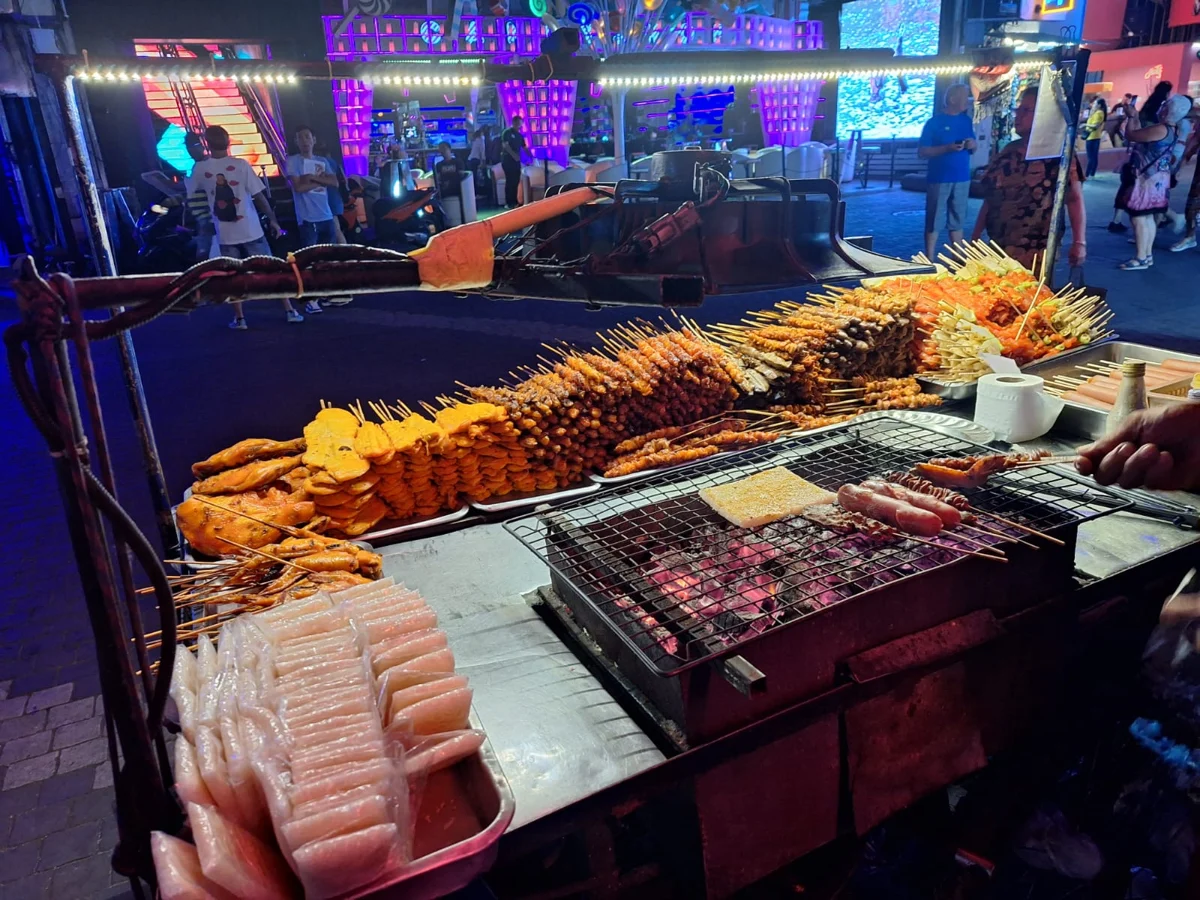
1. Choose a main stop, then separate extras from backups
If some saved places are in Yaowarat, Bangkok Chinatown, and others are near your hotel in a different area, separate them into “Chinatown dinner” and “lunch near the hotel”. For this meal, choose the area convenient from your starting point, then select the main stop and backup rather than forcing both areas into one outing.
Check the branch name, full address, opening hours for your chosen day and any last-order information. A popular post may feature another branch or only a particular meal service. The date you saved it is not the date its details were last checked.
| Role | Why it belongs in this meal plan | When to skip or switch |
|---|---|---|
| Main stop | Your priority, with branch and meal service checked | Closed, no space, or a wait beyond the limit your group agreed |
| Optional snack | You still have an appetite and the actual walk is acceptable | You are full, it is raining or someone wants a rest |
| Backup | A substitute if the main stop does not work | If the main meal works out, there is no need to eat again just to tick it off |
Hypothetical plan: start with saved restaurant A for lunch, decide on snack B according to your energy, and use backup C only if A does not work. This editorial example does not represent tested restaurants or a fixed walking time.
For language to prepare before ordering, see our Bangkok food-ordering guide. You do not need to organise the map and choose every dish in the same step.
2. Save places in a Google Maps list that makes sense to you
Search for the restaurant in Google Maps and check the branch address. Open the place, choose Save, and select or create your own list. Sharing a list for viewing and inviting collaborators are different permissions. Menu labels may vary by app version. Official list guidance
A name such as “Bangkok_neighbourhood_lunch” is more useful than putting everything under “Want to go”. Including the area and meal makes it easier to find today's few options.
Keep a short note alongside your plan: the main stop, the backup and when you checked the meal service. When discussing it with friends, send the list you have organised for this outing rather than letting an old screenshot without notes stand in for today's decision.
Saving and sharing places in Google Maps
Google Maps published this 25-second Lists introduction in 2017. It shows the idea of saving and sharing places, using a historical interface. For current steps, use the Google Help links in this article; it is not a Bangkok restaurant or walking-route review.
Save and share your favorite places with Lists in Google Maps · Google Maps · 2017-02-13. Watch on YouTube
3. Check walking from your actual starting point
Set your actual departure point as the start and the restaurant entrance as the destination, then select Walking. Google Maps' multiple-stop feature does not work with public transport or flight mode. If your journey includes BTS or MRT, look up the sections separately. Official directions guidance
A mapped route is not a record of someone testing the walk. Check the floor and entrance if the restaurant is in a shopping centre, which side of a lane it is on, and the final stretch from the station. Do not use a driving estimate as a walking time or judge distance only by two nearby pins.
With a pushchair or someone who cannot comfortably manage steps, check entrances and lifts before keeping the snack stop. If it rains, drop the optional stop rather than replacing it with a longer walk. For alternatives, see our Bangkok rainy-day guide.
4. Agree when to switch plans and where to meet
Before leaving, agree on the main restaurant, the backup if it does not work, and when you would rather rest. Set your own acceptable waiting limit rather than feeling obliged to follow someone else's food review.
Keep a precise return meeting point, including the full restaurant name, building entrance and floor. If someone leaves for the toilets, shopping or a break with the children, agree where to regroup instead of saying “outside”.
For a private transfer enquiry, provide the date, passenger numbers, actual departure point and intended final restaurant, then confirm a suitable meeting place. Naming a restaurant does not establish that a vehicle can stop at its door; give the transfer provider the actual entrance.
For help combining the food itinerary and transfers, message Instagram @thaifun.bkk with those details to discuss a suitable route.
Frequently asked questions
Can I eat at every saved place in one outing?
You do not need to. Complete the main meal first and add a snack only if appetite and energy allow. A backup is a substitute, not another compulsory stop.
Can someone else's map act as a live opening-hours guide?
No. Recheck the branch, opening hours and meal service before leaving, especially if the original recommendation is old.
Can offline maps provide walking navigation?
Google Maps does not offer walking, public transport or cycling directions offline. Saved addresses and screenshots are useful references, not a replacement for online navigation. Official offline limits
How should I plan with children or older relatives?
Prioritise a main stop and rest arrangements everyone can manage, with fewer moves. Save places involving steps, prolonged standing or difficult meeting points for another visit.
Sources
-
Google Maps: create a list of places: saving places, sharing and collaboration.
-
Google Maps: get directions: travel modes and multiple-stop limits.
-
Google Maps: offline maps: offline direction limits.
-
Tourism Authority of Thailand: Bangkok Chinatown: reference for the Yaowarat/Chinatown name.
Sources checked: 21 October 2026. The meal-planning method is editorial advice, not a claim of restaurant inspections or tested walks.